Choosing Dashboard Storage for a Suzuki Jimny JB74
Compare the top of your infotainment housing with the product photos and choose a place for small items that keeps the view clear.
In this guide
Match the tray to the top of your infotainment housing. Test the position from the driver’s seat and keep the windscreen, vents and controls clear.
Check where the tray sits
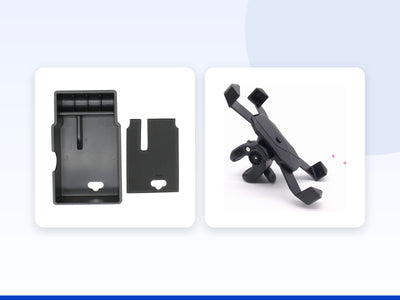
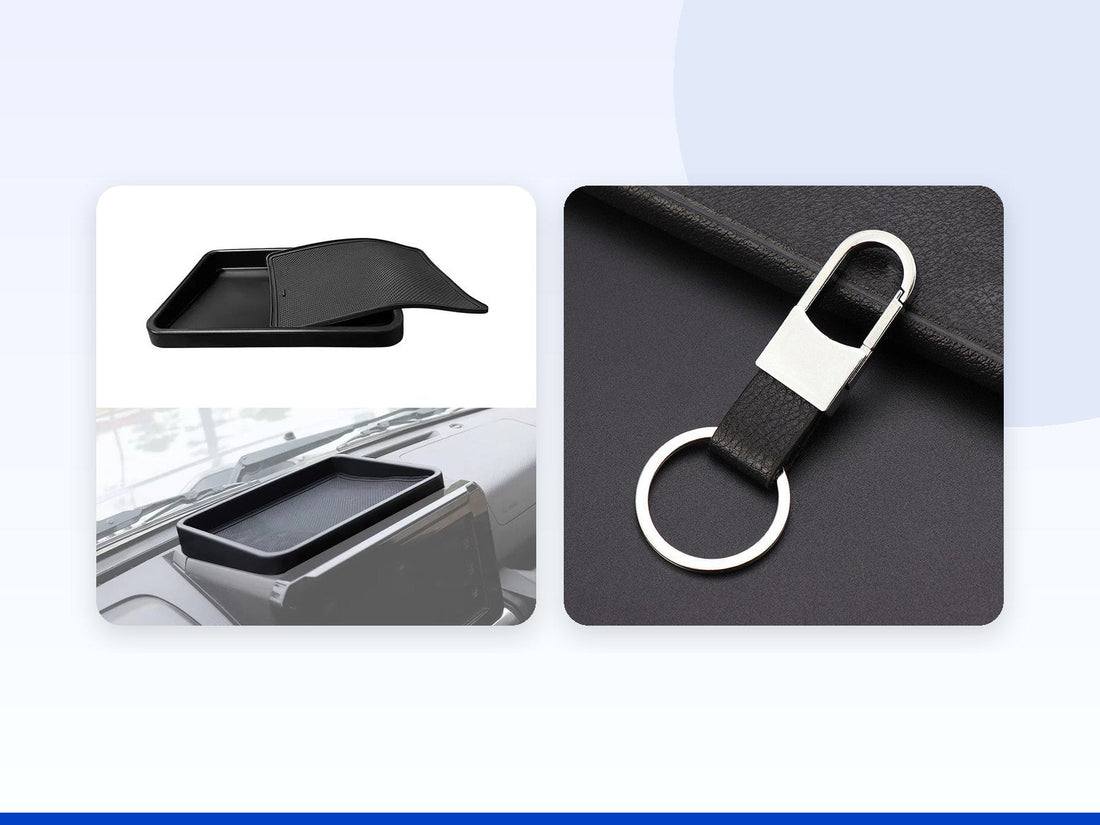
The Jimny JB74 infotainment-top tray sits above the central screen on the matching housing. Compare the outline and depth of the mounting surface with the installed product photo. If your Jimny has an aftermarket head unit, check the housing fitted to your car before ordering.
Test the position before attaching it
With the vehicle parked, trial-fit the tray and sit in your normal driving position. Check that you can see the road and reach the screen and controls. Follow the fitting instructions for the adhesive, and use the tray only for light items that can sit securely below the rim.
Keep keys together away from the dashboard
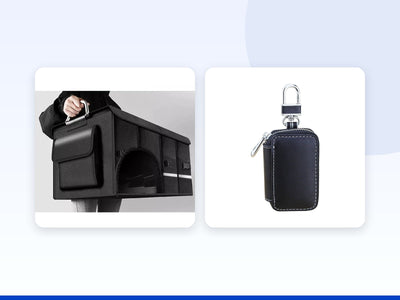
A clip-on key ring can keep spare keys together on a compatible bag loop. If keys can slide out of the tray, put them in a closed pocket before driving.
Products in this guide
Confirm the dashboard configuration, not just the badge
The listed application is a Jimny JB74 with the matching infotainment housing shown on the product page. A model name or registration year alone does not confirm the shape above the screen. Compare the top surface, its front-to-back depth and the surrounding trim. Replacement screens and aftermarket surrounds can change this area, even on an otherwise matching vehicle.
| Check while parked | What a suitable position needs |
|---|---|
| Housing profile | A mounting surface matching the installed photo, without forcing the tray over the trim. |
| Driver's view | A clear view through the windscreen from the normal seating position. |
| Screen and controls | Access to the display, buttons and nearby vents without the tray obstructing them. |
| Loose items | Space for small, light items to sit below the rim; valuables or objects that may slide belong in closed storage. |
Trial-fit before removing the adhesive backing
This accessory uses adhesive fitting on the compatible housing. Set it in position before attaching it, check the contact surfaces and compare the result with the listing's installed photos. If the tray rocks, bridges a gap or has to be forced into place, stop and recheck the housing rather than compensating with extra adhesive.
Follow the supplied adhesive instructions for surface preparation and setting time; no universal curing time is stated here. Do not cover vents or controls, and keep loose objects away from airbag deployment areas. The raised rim and textured liner do not make an open tray secure storage for hard or heavy objects while driving.
The tray is black ABS with a removable textured liner. Lift out the liner for separate cleaning and let it dry before refitting. This is an aftermarket accessory and is not made or endorsed by Suzuki.
FAQs
Will the tray fit an aftermarket screen?
Fit depends on the housing. Compare its shape and mounting surface with the installed photos.
How do I clean the tray?
Lift out the textured liner and wipe it separately. Put it back once dry.
Does the JB74 model name guarantee fit?
No. The tray needs the matching infotainment housing shown in the listing. Check the actual housing, particularly if the screen or surround has been replaced.
Does the tray secure objects during driving?
It is open storage with a raised rim and textured liner, not a locking compartment. Keep small items below the rim and put anything that may slide or become a distraction in closed storage.
Products in this guide
Everything mentioned above, with current prices. Open a product for full specs and fitment details.